WakaTime-compatible API
Heartbeats, bulk ingest, durations, summaries, stats, status bar and file experts.
Waka Personal is a WakaTime backend and dashboard you run yourself. Keep the plugins you already use, change one URL, and every heartbeat lands in your own PostgreSQL. No subscription, no third-party account.
.env
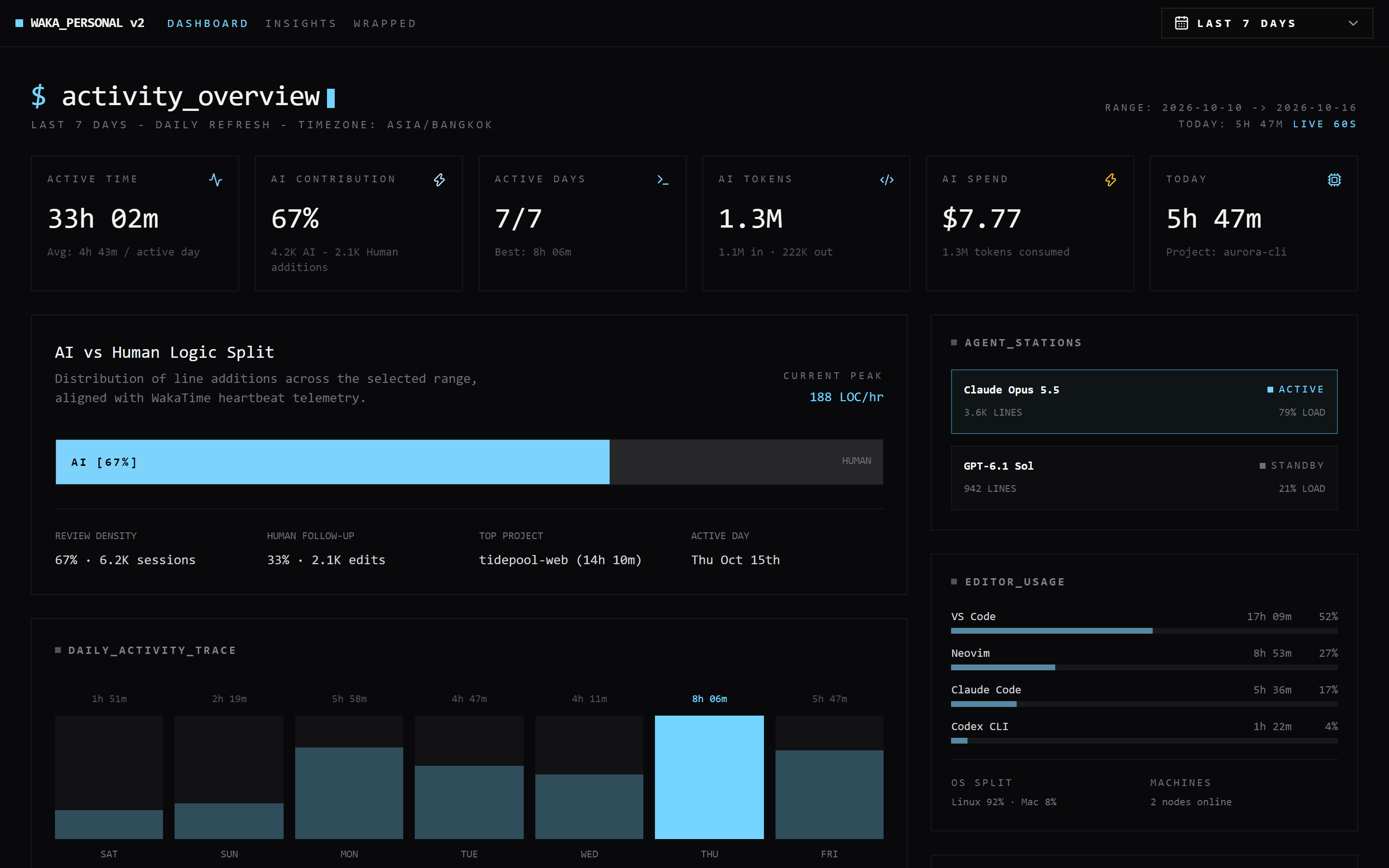
Daily totals, languages, projects and editors, with a live view that refreshes every 60 seconds. Screenshots use generated demo data.
One Go binary serves the API and the dashboard from the same origin.
Heartbeats, bulk ingest, durations, summaries, stats, status bar and file experts.
See where your time went by day, language, project and editor.
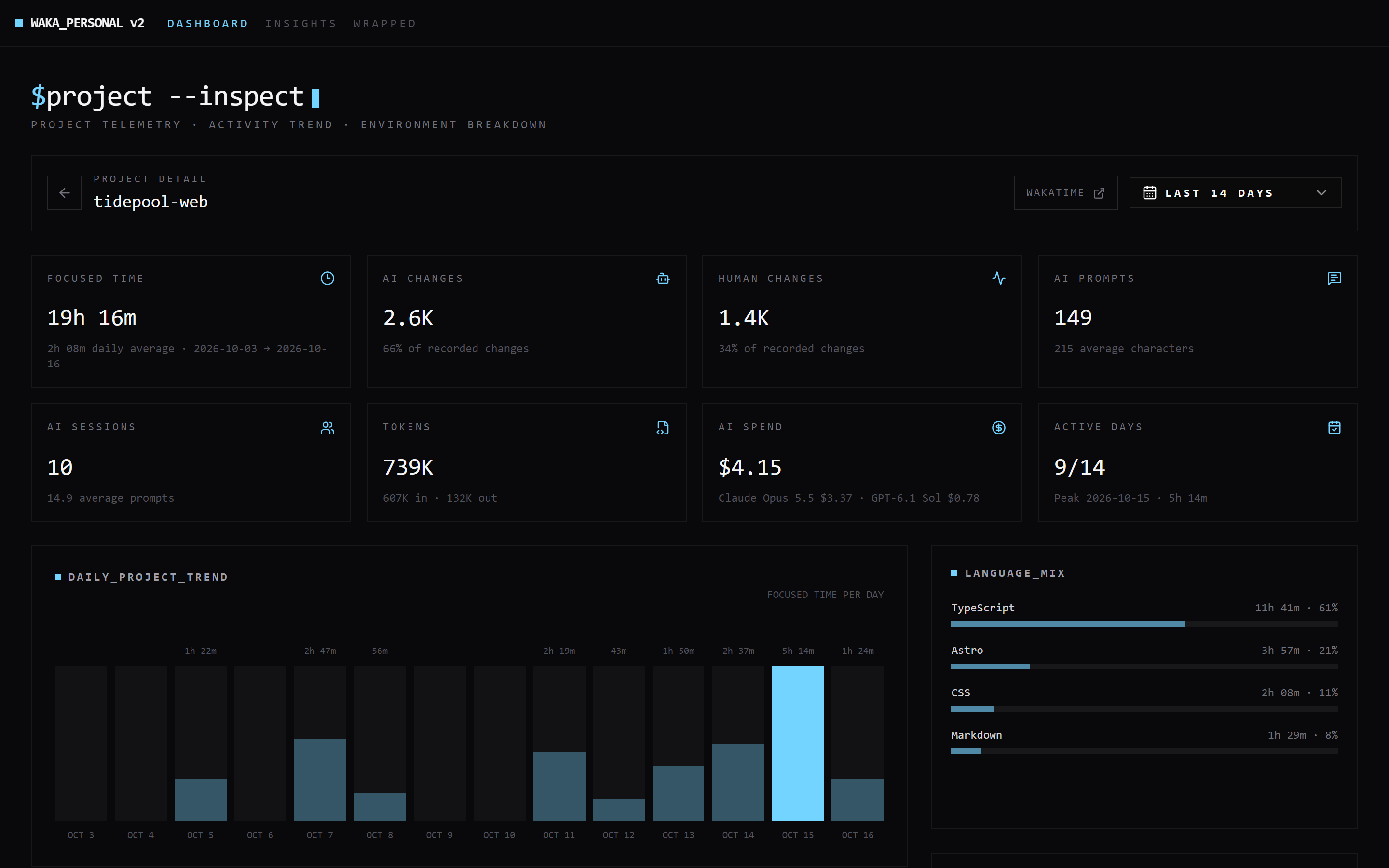
Drill into one project: files, branches, languages and time per day.
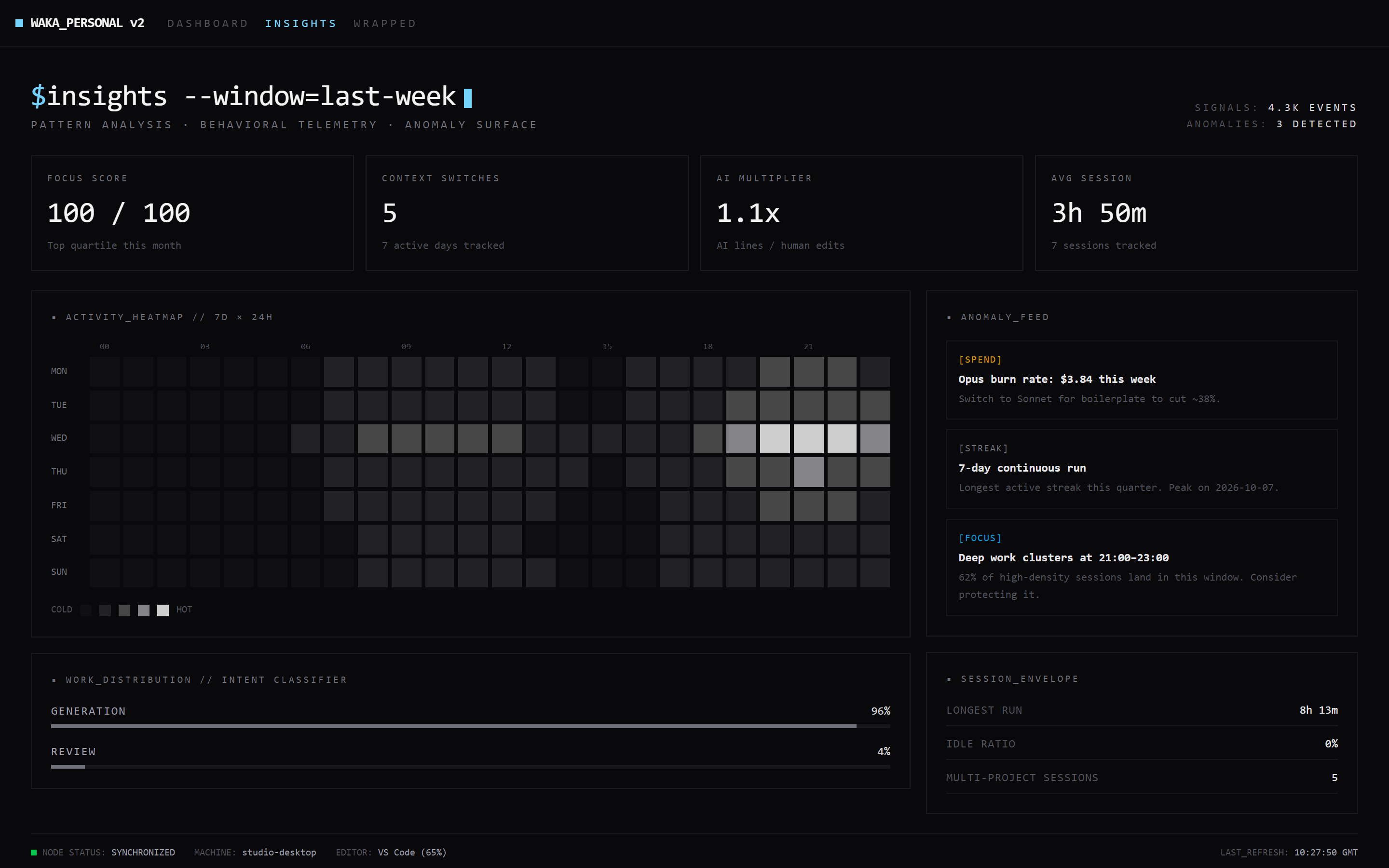
Active days, daily focus, AI leverage and spend for the last week.
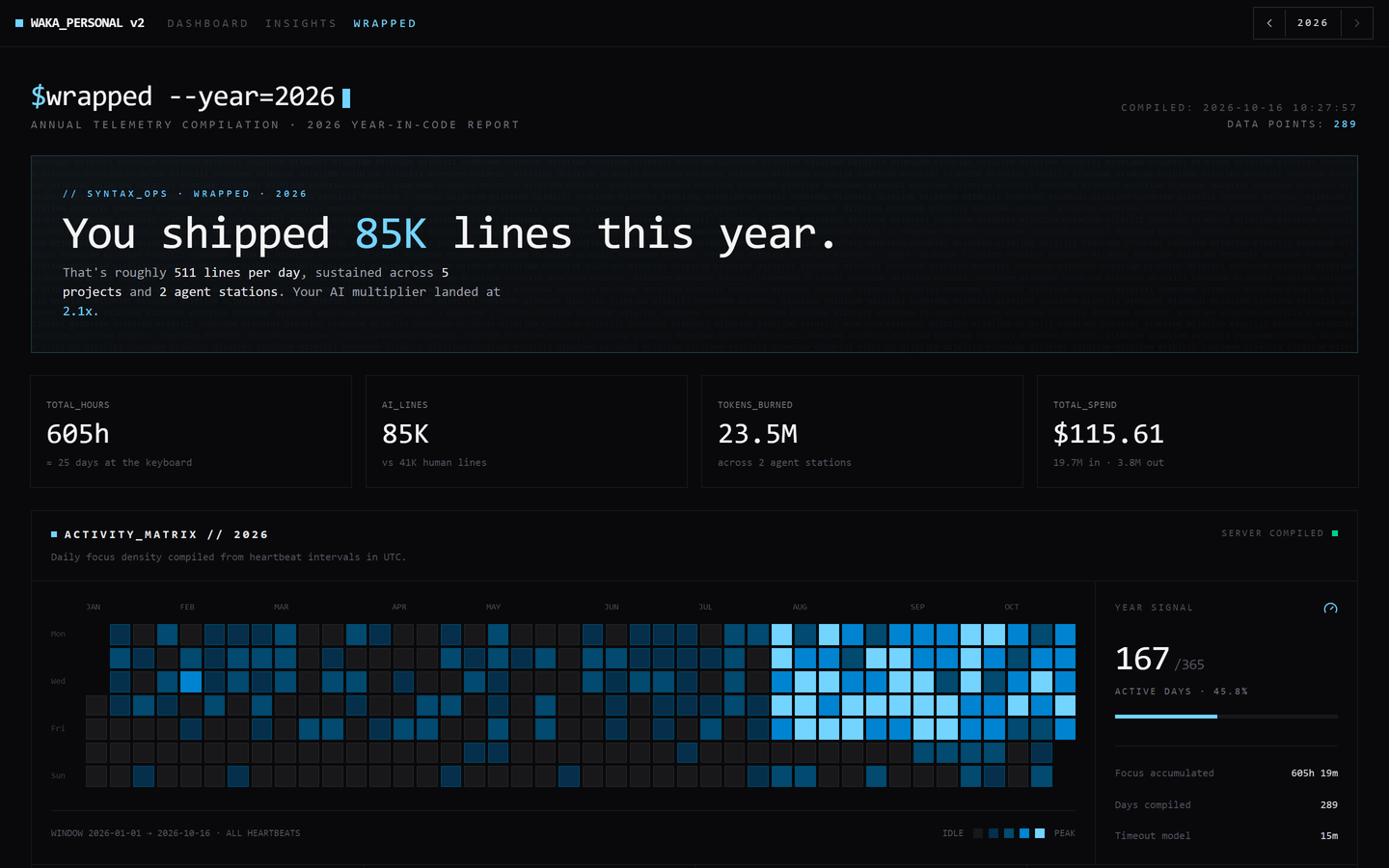
An annual recap with an activity matrix, peak day, streaks and AI coding stats.
AI sessions and token usage, plus a model pricing table for cost estimates.
Bring your old WakaTime .json or .json.gz export along.
One API key, checked exactly the way WakaTime plugins send it.
Rate limiting, security headers, health probes and a non-root container.
You need Docker with the Compose plugin. Nothing else.
APP_API_KEY and POSTGRES_PASSWORD in
.env.
api_url and api_key in
~/.wakatime.cfg, then open the dashboard on port 8080.
mkdir waka-personal && cd waka-personal
curl -fsSLO https://raw.githubusercontent.com/dvgamerr-app/waka-personal/main/docker-compose.yml
curl -fsSL https://raw.githubusercontent.com/dvgamerr-app/waka-personal/main/.env.example -o .env
# edit APP_API_KEY and POSTGRES_PASSWORD in .env
docker compose up -d[settings]
api_url = http://YOUR_HOST:8080/api/v1
api_key = REPLACE_MEHTTPS, backups, upgrades and importing old data are covered in the self-hosting guide.
Plugins just work. You can also call the API directly; the key goes in as the Basic-auth username, exactly like the plugins send it.
curl -u "REPLACE_ME:" http://YOUR_HOST:8080/api/v1/users/current/statusbar/todayA star helps other developers find Waka Personal. Bugs and ideas are welcome in the issue tracker.