 JiraSync Hub
Stop waiting on Jira. Work offline, push what changed.
Pull the tickets assigned to you into a fast local table. Edit status, estimates and worklogs without a connection, then send back only the fields you actually touched.
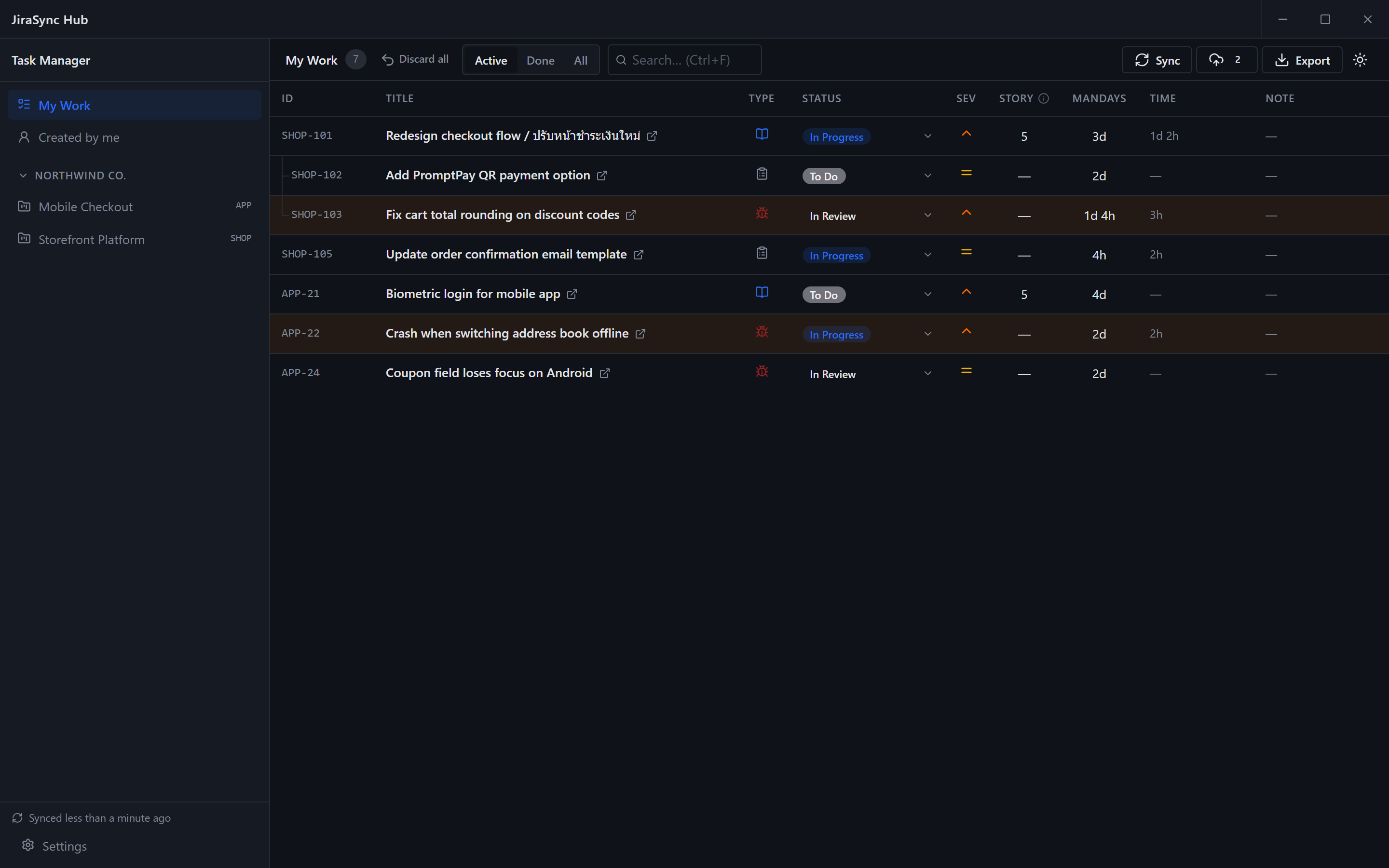
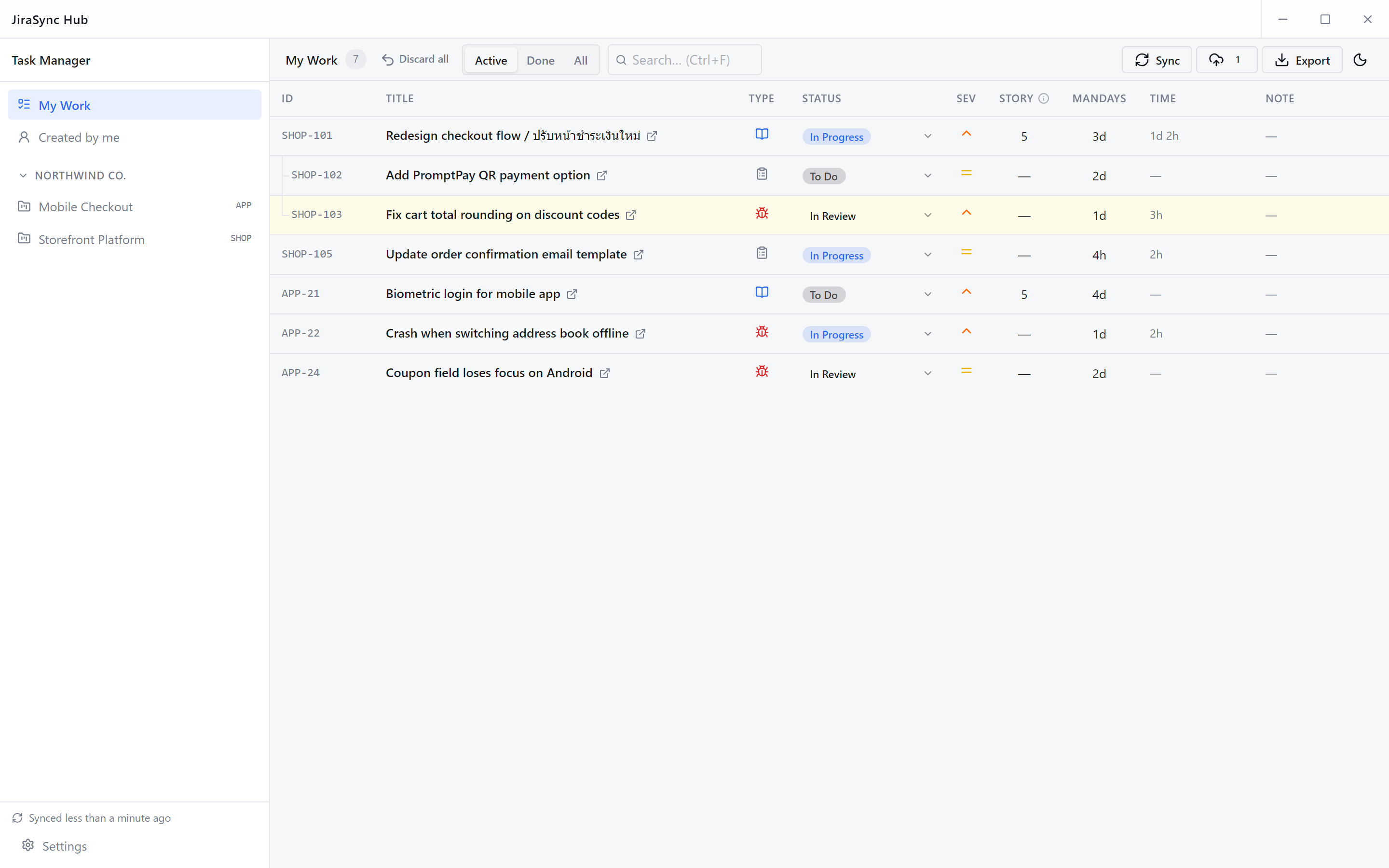
// field-level push
Edit freely. Jira only hears about what changed.
Change anything on this ticket and watch the exact requests the app would send. A stale local copy never overwrites a teammate’s priority or story points.
// what you get
Built for people who live in Jira all day.
Everything is stored on your machine first. Your API token lives in the OS credential store, not in a config file.
Offline-first, incremental sync
A background pull every hour fetches only what changed since the last run. Your local database is the source of truth, so the table opens instantly.
- 09:00Full sync48 issues · 212 worklogs
- 10:00Incremental3 issues changed
- 11:00Jira unreachableedits kept locally
- 12:00Incrementalpushed 2 tasks · 1 worklog
Honest time totals
Teammates’ worklogs are read-only and never counted in your hours.
Monthly CSV export
One row per ticket per month. Opens cleanly in Excel and warns about unpushed time.
Token in the keychain
Windows Credential Manager and macOS Keychain keep your API token safe.
Multiple Jira sites
Add several Cloud accounts and map the story point field per project.
Discard per task
Changed your mind? Restore one ticket from Jira without touching the rest.
// a quick tour
One window for your whole sprint.
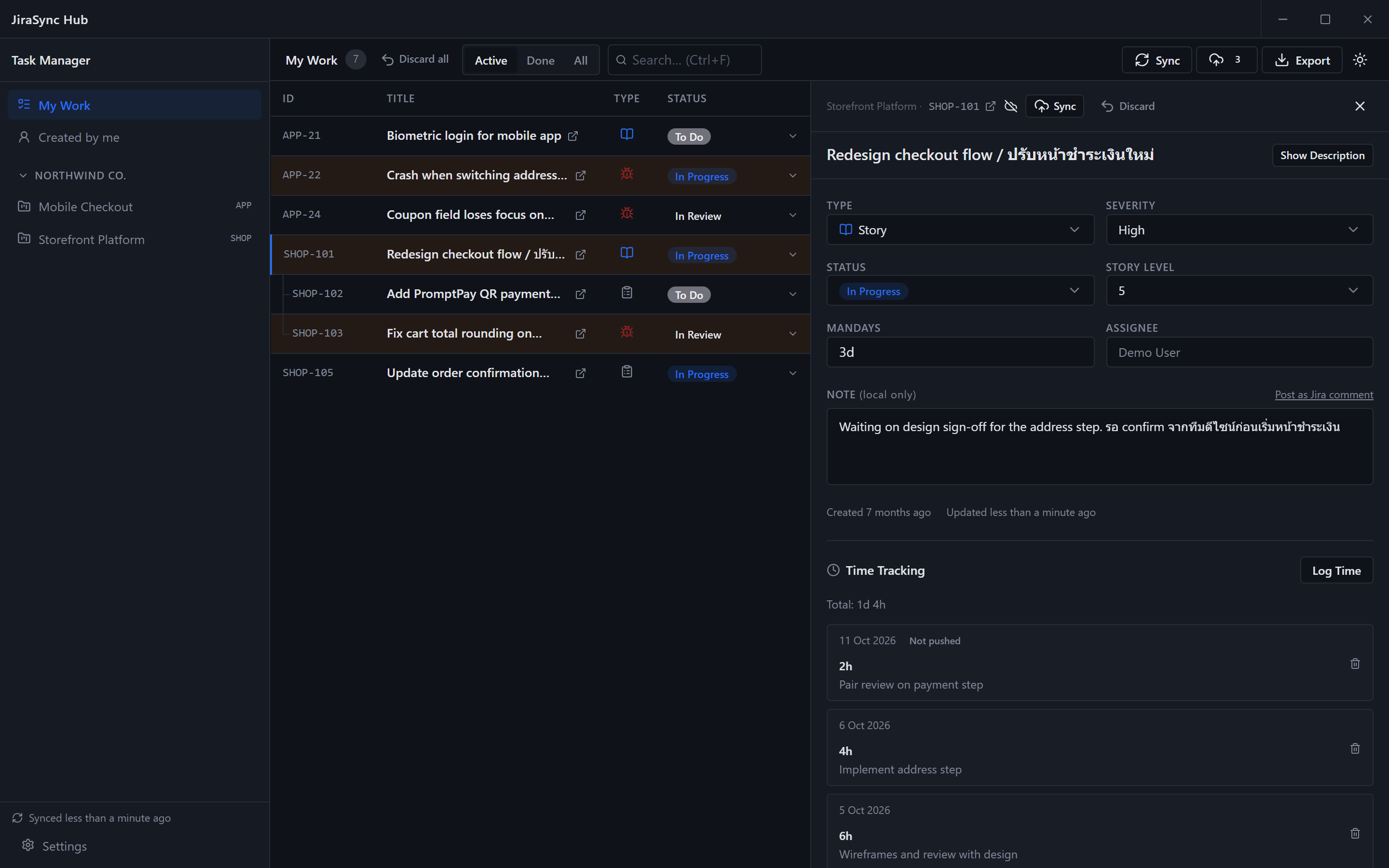
Open a ticket to edit fields, keep a local note and log time with a live preview of how your input is read.
// get started
Up and running in two minutes.
You need a Jira Cloud site (*.atlassian.net), your Atlassian email and an API token.
- Download the installerGrab the build for your OS from the latest release.
- Add your accountSettings → Add Account, enter instance, email and token, then Save & Connect.
- SyncPull your projects, tasks and worklogs into the local table.
- Edit and pushWork as you like, then press the upload button to send only what changed.
Prefer building from source?
$ git clone https://github.com/dvgamerr-app/jirasync-hub-app.git
$ cd jirasync-hub-app && bun install
$ bun tauri dev
Saves you Jira clicks? Give it a star.
A star helps other Jira users find the project, and keeps it going.